







Tailscale Integration
Built-in encrypted P2P tunneling. Connect to any machine globally without messing with port forwarding or firewall rules. It works on LAN and over the internet automatically.
Nvidia Game Streaming Protocol
Enjoy up to 2K resolution with buttery-smooth 120 FPS and zero perceptible lag.
Forward Error Correction
Adaptive FEC and QoS ensure a stable, artifact-free connection even on unreliable networks, instantly recovering dropped packets for seamless streaming.
Connect in 3 Simple Steps
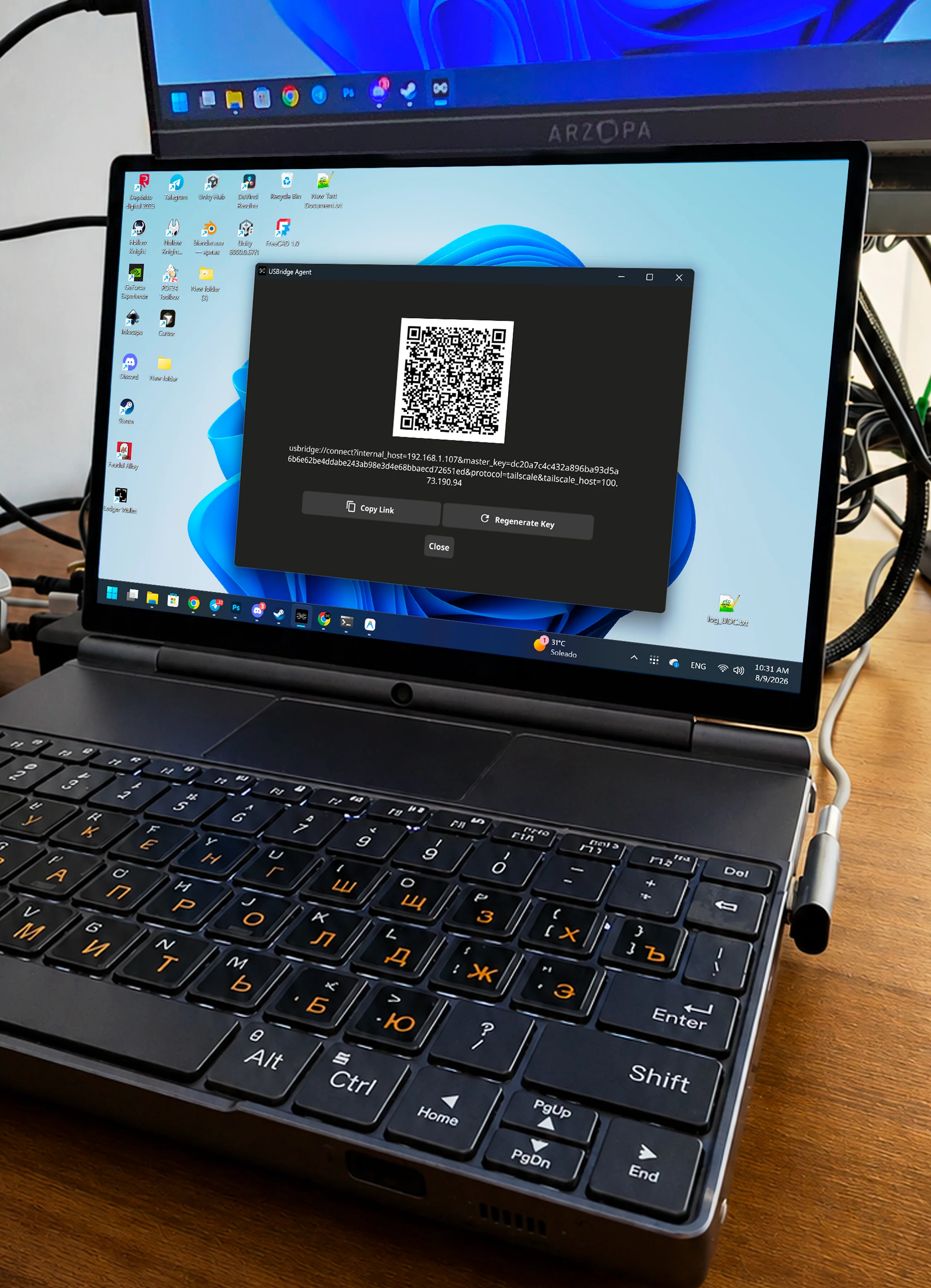
Step 1: Install Agent & Client
Install the Software Agent or connect the Hardware Agent to the target machine and open the Client app on your workstation, laptop, or phone.
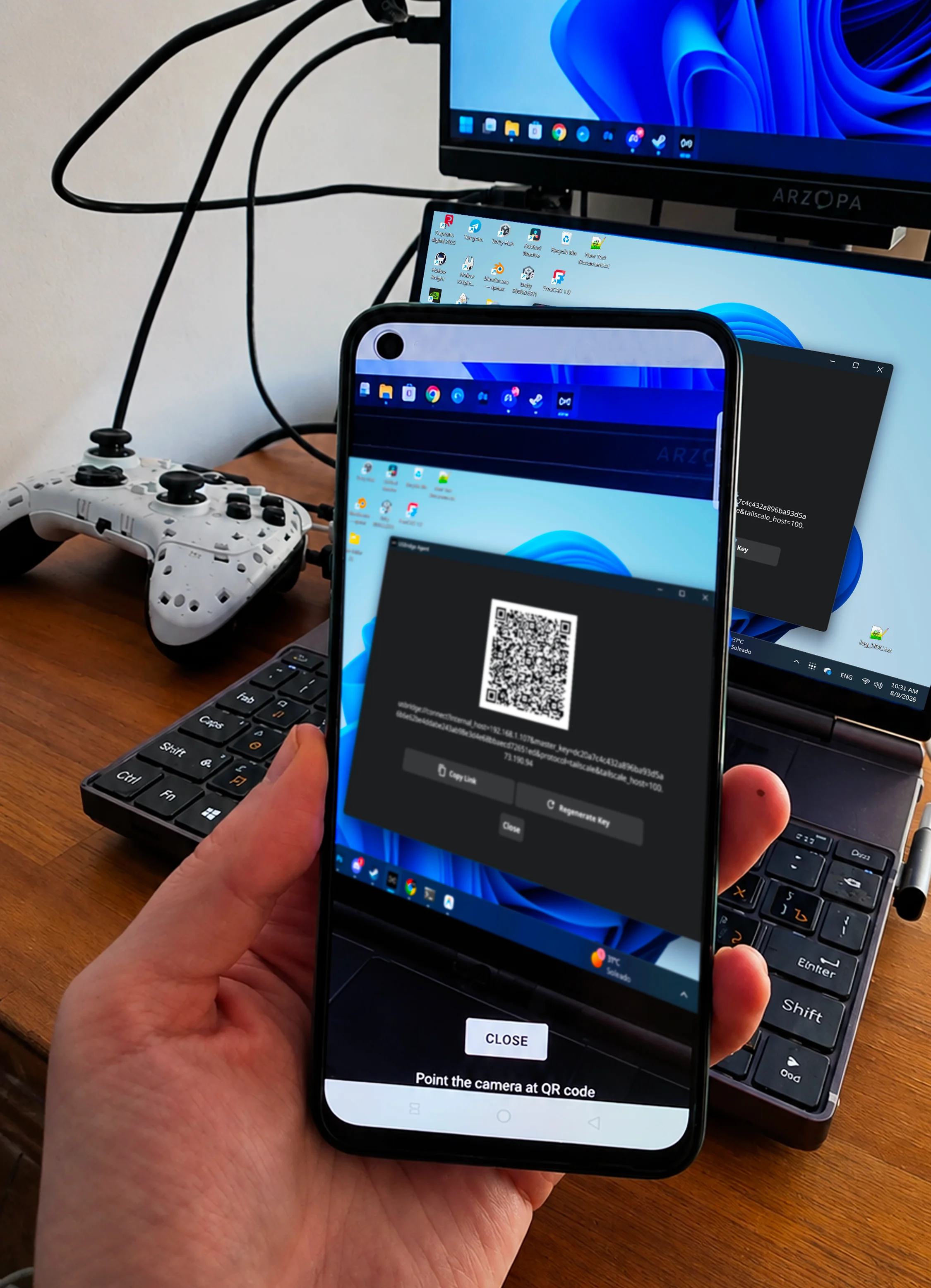
Step 2: Scan or Link
Scan the generated QR code or click the secure connection link inside the Client to pair instantly.
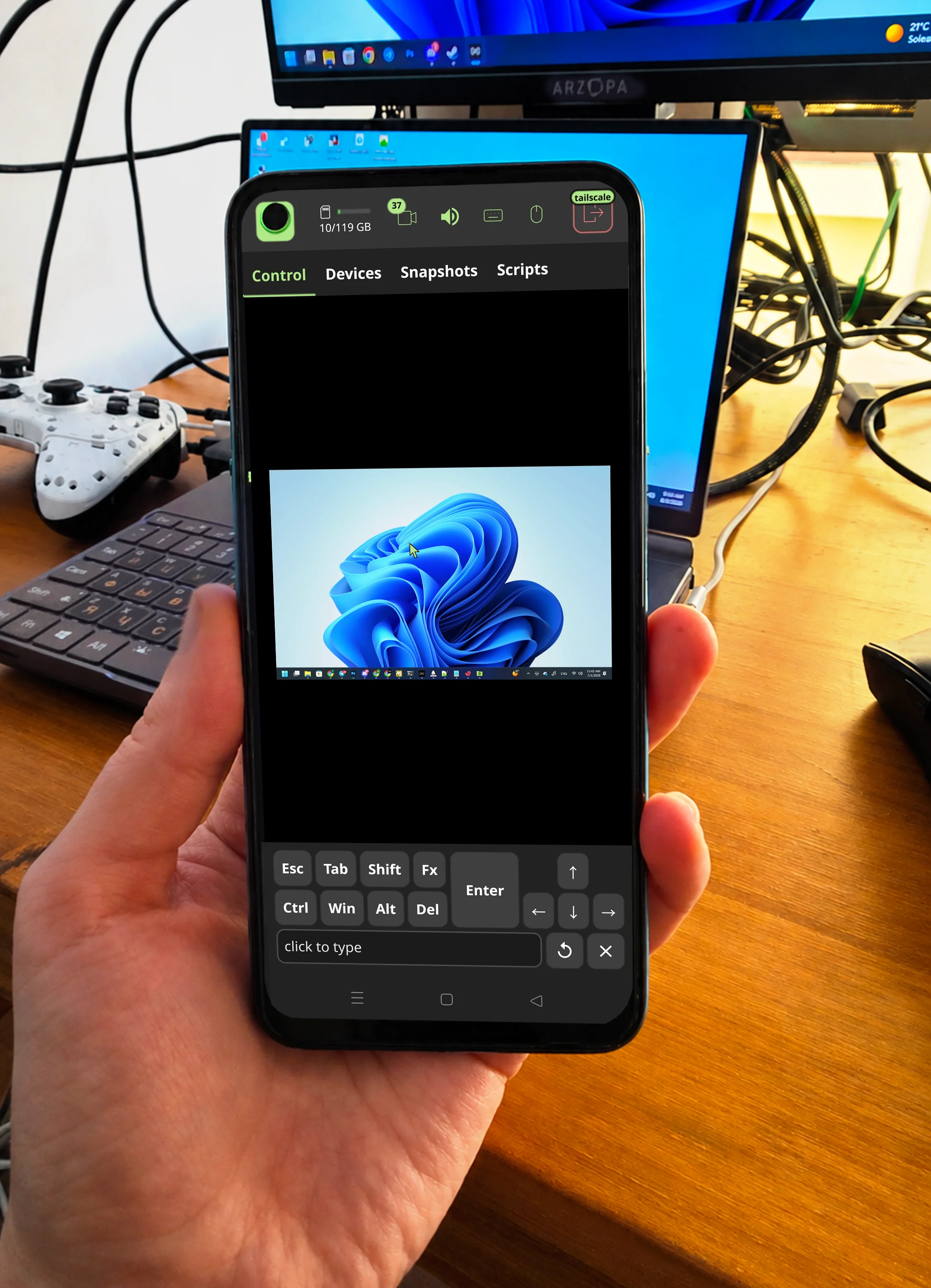
Ready!
You are securely connected with ultra-low latency.
Connect in 3 Simple Steps
Install Agent & Client
Install the Software Agent or connect the Hardware Agent to the target machine and open the Client app on your workstation, laptop, or phone.
Scan or Link
Scan the generated QR code or click the secure connection link inside the Client to pair instantly.
Connected
You are securely connected with ultra-low latency.